Gang Sheets vs. Assorted Sizes: Which Sublimation Print Option Is Right for Your Business?
If you have ever stared at a sublimation print order form and wondered whether to choose a gang sheet or order individual assorted sizes, you are not alone.
It is one of the most common questions from business owners and DIYers who are new to outsourcing their sublimation prints. And it is a fair one. Choose the wrong option and you either overpay, waste space on a sheet, or end up with prints that do not match what you actually needed.
This guide breaks down exactly what each option is, who it works best for, and how to decide which one makes sense for your next order.
What Are Assorted Sublimation Print Sizes?
Assorted sizes are individual sublimation transfers printed at a specific size you choose. You upload your design, select the size you need, and receive a single printed transfer ready to press.
This option is straightforward. You are ordering one design at one size per print. It is ideal when you need a specific number of a specific size without filling an entire sheet.
Assorted sizes work well when:
You need a small quantity of one design
You are testing a new design before committing to a large order
Your order includes multiple different designs at different sizes
You are a DIYer working on a single project like a custom shirt, bag, or tumbler
You want to keep your order simple without building out a full sheet layout
At LDD Kreationz, assorted size prints start at $6 and there are no minimum orders. You order exactly what you need, nothing more.
What Is a Gang Sheet?
A gang sheet is a large format sheet that holds multiple images arranged together to maximize print space. Instead of printing one design per transfer, you fill an entire sheet with as many designs, sizes, and quantities as you can fit.
Think of it like a puzzle. The goal is to pack the sheet as efficiently as possible so you get the most prints per dollar spent. The more efficiently you fill the sheet, the lower your cost per print.
Gang sheets are available in multiple sizes at LDD Kreationz:
13 x 19 inches
24 x 20 inches
24 x 40 inches
24 x 80 inches
44 x 20 inches
44 x 40 inches
44 x 80 inches
Gang sheets start at $10 and the built-in gang sheet builder on the product page makes it easy to upload your images, arrange them, set quantities, and use the Auto-nest feature to fill the sheet automatically for maximum savings.
Gang Sheets vs. Assorted Sizes: A Side-by-Side Comparison
Who Should Order Assorted Sizes?
Assorted sizes are the right choice when simplicity and flexibility matter more than cost per print.
You are a DIYer working on a personal project. You need two or three transfers at a specific size for a family reunion shirt, a custom birthday gift, or a personalized tote bag. You do not need a full sheet. You just need exactly what you are making.
You are a new business owner testing sublimation. Before you commit to a full gang sheet of a new design, order a few assorted prints to see how the transfer looks pressed onto your substrate. Test first, batch later.
You have a last-minute order to fulfill. A customer places a rush order and you need two specific prints fast. Assorted sizes get you exactly what you need without the time it takes to build out a full sheet layout.
You are working with multiple different designs. If every print in your order is a different design at a different size, assorted sizes keep your order clean and simple without the complexity of arranging everything onto one sheet.
Who Should Order Gang Sheets?
Gang sheets are built for volume, variety, and value. They are the smarter choice when you are ordering regularly or need to batch your prints efficiently.
You are an active seller with consistent print needs. If you are regularly fulfilling customer orders, a gang sheet lets you batch your prints for the week or the month in one efficient order. Lower cost per print means higher margin on every product you sell.
You sell multiple products that use the same design. A popular design that goes on shirts, bags, and tumblers in different sizes is a perfect gang sheet candidate. Fill the sheet with the same design at every size you need and press them as orders come in.
You are restocking inventory. Boutique owners and crafters who keep a print inventory on hand get the most value from gang sheets. One well-planned sheet can stock you up for weeks.
You want to maximize your print budget. Gang sheets reward planning. The more efficiently you fill the sheet, the less you pay per transfer. For sellers who are serious about margin, gang sheets are not optional -- they are the standard.
You are a seller whose equipment is down. If your printer is being repaired and you have customer orders to fulfill, a large gang sheet gets your backlog printed and out the door in one order. No missed orders, no refunds, no explanations to customers.
How the Gang Sheet Builder Works
One of the biggest hesitations people have about gang sheets is the setup. The good news is that the gang sheet builder at LDD Kreationz is built directly into the product page and does most of the work for you.
Here is how it works:
Step 1 -- Choose your sheet size. Select the sheet size that fits your order. If you are not sure which size to choose, think about how many prints you need and at what sizes. A 13x19 works for smaller batches. A 44x80 is the right choice for high-volume restocking orders.
Step 2 -- Click Upload Your Design. This opens the gang sheet builder directly in your browser. No separate app or software needed.
Step 3 -- Upload your images. Your files should be PNG format with a transparent background at 300 DPI and RGB color mode. The builder supports multiple uploads so you can add all your designs at once.
Step 4 -- Arrange and set quantities. Resize, rotate, and duplicate your images as needed. Set the quantity for each design so the builder knows how many of each print to place on the sheet.
Step 5 -- Use Auto-nest. This is where the efficiency happens. Auto-nest automatically fills the sheet for you, fitting your images into the available space in the most efficient layout possible. More prints per sheet means a lower cost per transfer.
Step 6 -- Review carefully before submitting. If you use the white background remover, check that no part of your design was accidentally removed. Use the slider to adjust the removal level if needed. Every order prints exactly as submitted, so a careful review before checkout protects your investment.
What File Format Do You Need?
Whether you are ordering assorted sizes or a gang sheet, the file requirements are the same:
Format: PNG is the preferred file format for sublimation transfers
Background: Transparent background required -- white backgrounds will print as white on your transfer
Resolution: 300 DPI for sharp, vibrant prints
Color mode: RGB -- sublimation printing requires RGB color mode, not CMYK
Size: Design your file at the actual print dimensions you need -- do not scale up a small file
If you are not sure whether your file is print-ready before you order, grab the free Print-Ready File Checklist. It walks you through every requirement so your file is ready before you place your order and there are no surprises at checkout.
Get the Free Print-Ready File Checklist
Turnaround, Shipping, and Pickup
Both order types ship with the same standard turnaround at LDD Kreationz: 24 to 48 business hours. Large orders and peak seasons may require additional time, and that will always be communicated upfront.
Nationwide shipping is available for customers across the United States. Local Houston pickup is also available if you are in the area and prefer to grab your order in person.
There are no minimum orders on either option. Order exactly what your business or project needs right now, and come back when you need more.
Ready to Place Your Order?
Whether you are a business owner fulfilling customer orders, a DIYer working on a personal project, or a seller whose equipment is down and needs a reliable print partner fast, LDD Kreationz has you covered.
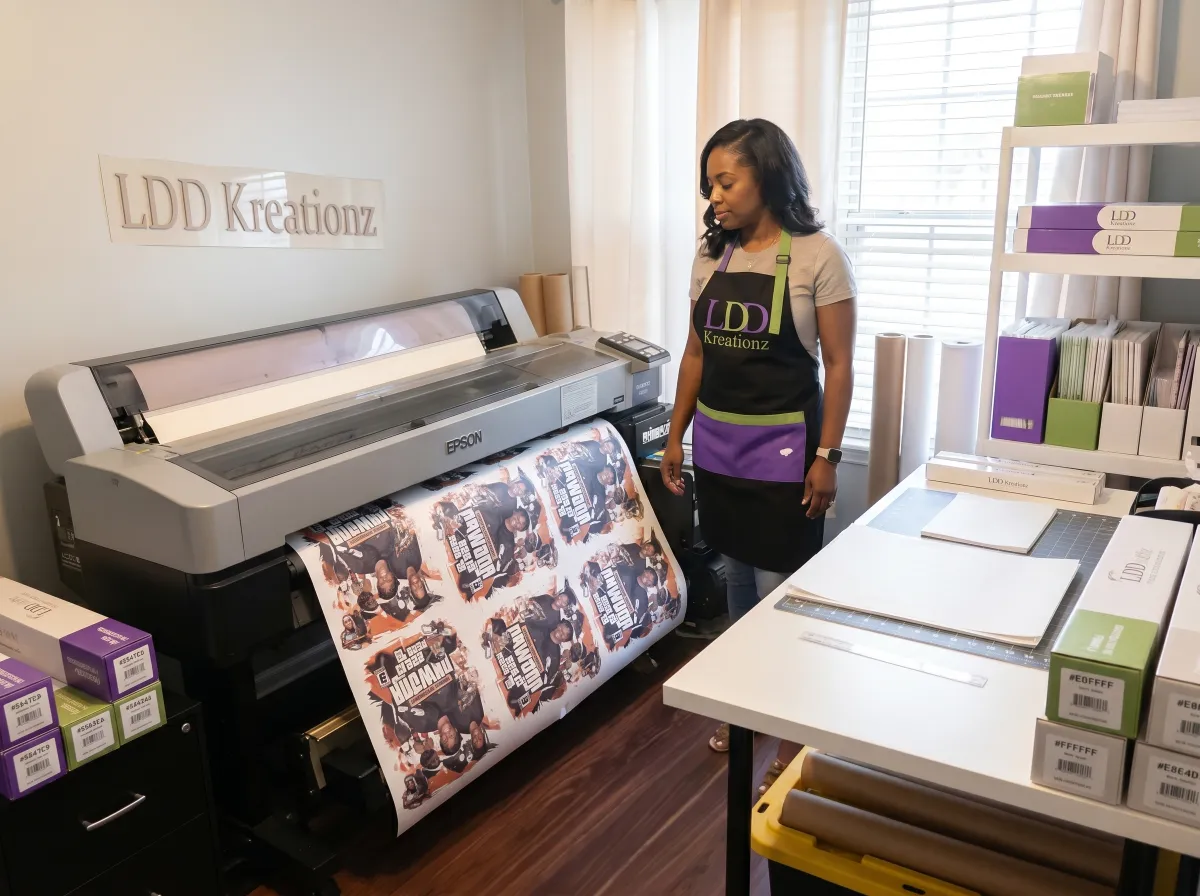
Large format Epson sublimation printing. No minimums. Professional quality on every transfer.
Not sure if your file is ready to order? Grab the free Print-Ready File Checklist and make sure everything is set before you hit submit.


